 WNC
One brain for your whole business.
B-MGMT connects your books, your documents, your jobs, your email and your deadlines, so every part of the business knows what the other parts know. An advisor works across all of it, proposes what to do next and waits for your OK.
QuickBooks knows your numbers. A chatbot knows what you paste into it. B-MGMT knows how they fit together.
How the brain works
Everything your business already produces goes in once. It is read, checked and connected to the job, customer or vendor it belongs to. Then every tool in the app works from the same picture.
Comes in
What you already have
- QuickBooks, synced every night
- Bank statements and receipts
- Supplier invoices and bills
- Email and Google Drive
- Plans, photos and contracts
- Timecards and crew hours
- Insurance certificates
The brain
Where it gets connected
- Every document filed once and never deleted
- Read once, with the page text and key fields saved
- Linked to the job, customer, vendor and subcontractor at the same time
- Checked: dates, amounts, matching names, expired coverage
- The state and county rules that apply to you, each with its source
- How you like things done, remembered only when you approve it
Comes out
What you get to use
- Live cost to date on every job
- Estimates priced from what you paid
- Invoices built from real costs
- A deadline calendar for your business
- A daily and weekly brief of what needs you
- Answers that say what was checked
Why connected matters
Follow one supplier invoice through the app. In most businesses this is five separate jobs done by hand. Here it is one.
- The invoice arrives by email.The app finds it in your inbox and offers to file it.
- It is filed under the job and the vendor.Its text and line items are read and saved, so it can be found by job, vendor or amount.
- The job's cost to date updates.You see where the job stands against its budget without opening a spreadsheet.
- The prices go into your price book.Each material price is dated, and anything older than 90 days is flagged.
- Your next estimate uses them.The next quote is priced from what you paid this season, not from a guess.
- Your invoice to the customer uses them.Real costs plus your fee, with change orders listed, ready for you to approve.
Compared with what you might use now
| QuickBooks alone | A general AI chatbot | B-MGMT | |
|---|---|---|---|
| Knows your numbers | Yes | Only what you paste in | Yes, synced from QuickBooks nightly |
| Reads your documents | Attachments only | One file at a time | Every filed document, read once and kept |
| Knows your jobs, vendors and subs | As list entries | No | Yes, and links every document to them |
| Knows the rules where you work | No | From general training, unsourced | State and county rules with their source, approved by you |
| Remembers how you work | No | Not reliably | Yes, rules you approve and can retire |
| Takes action | You do it | No | Proposes it, you approve, then it is done and recorded |
| Shows its work | Reports | Rarely | Every answer lists what it checked and what it did not |
Tools built around your business
The app is set up for your kind of business, and it grows with you. When the advisor needs a tool it does not have, it files a build request. You approve it, and I build it for you.
Estimating from your real supplier receipts
Material prices come from your own bills and supplier invoices. Plans are attached to the job, quantities are taken off, and any line without a price is named instead of hidden.
Job costing and Cost Plus invoices
Bills split across jobs, budgets and change orders, crew labor at your billing rate, and an invoice built from real costs plus your fee.
Deadlines and compliance
The filing dates, licence renewals and lien deadlines that apply to your business, each tied to its source. Insurance certificates are checked, and paying a sub with expired coverage is stopped.
Timecards and labor profit
Weekly timecards in English or Spanish, posted to jobs, with what each worker costs against what they bill.
Your website, in the same place
Edit your site by clicking on it, with your brand kit and photos, and publish with one approval.
Marketing and advertising strategy
A plan written with you, with posts drafted for your approval, Facebook posting and a Google Business Profile setup guide.
Your business advisor, watching your goals
Set your goals and boundaries, and the advisor checks every suggestion against them, watches your progress and tells you when you drift.
Set up for your industry
Contractors, tattoo and personal-service studios, realty, professional services and cleaning businesses each get their own chart of accounts, terms and screens.
Nothing behind your back
Connecting everything only helps if you can trust it. These rules are built into the app and cannot be switched off.
Every action is proposed
Anything that changes a record, a file or a figure comes to you first, with what it would do and why. You approve it or you don't.
Every number has a source
Figures are computed from your records by code that can be checked, never made up by a language model. A number with nothing behind it is not shown.
Nothing is ever deleted
Records are added, never edited away. A correction is a dated entry beside the original, so the history stays intact.
What B-MGMT does not do yet
Payroll, sending email or messages on your behalf, and live bank feeds are not built. Some are planned. Some never will be: payroll tax deposits, for one, are money movement I will not take responsibility for. This page gets updated when that changes, not before.
Try the live demo
Click through a working copy of B-MGMT running a made-up business: Fernhollow Renovation, a small renovation contractor near Hendersonville. Twelve months of books, jobs, crew timecards, supplier bills and deadlines. Everything in it is invented. You get your own private copy, so approve, reject and explore freely; nobody else sees what you do, and it is cleared when you sign out.
Username: demo Password: try-the-demo
Start at Needs you
Ten cards wait for a decision: a supplier bill, crew timecards, insurance alerts, a goal. Approve one and it is recorded in the books; reject it and the app records that you said no.
Try to pay Sparrow Drywall
Under Money, open the bill from Sparrow Drywall & Finish and try to pay it. The app refuses: their insurance certificate has expired.
Open the Calendar
Crew shifts, bills coming due and lien deadlines, each deadline quoting the North Carolina statute it comes from.
See the books
Cash confirmed against a bank statement, profit and loss, balance sheet, and Cost Plus invoices built from real job costs.
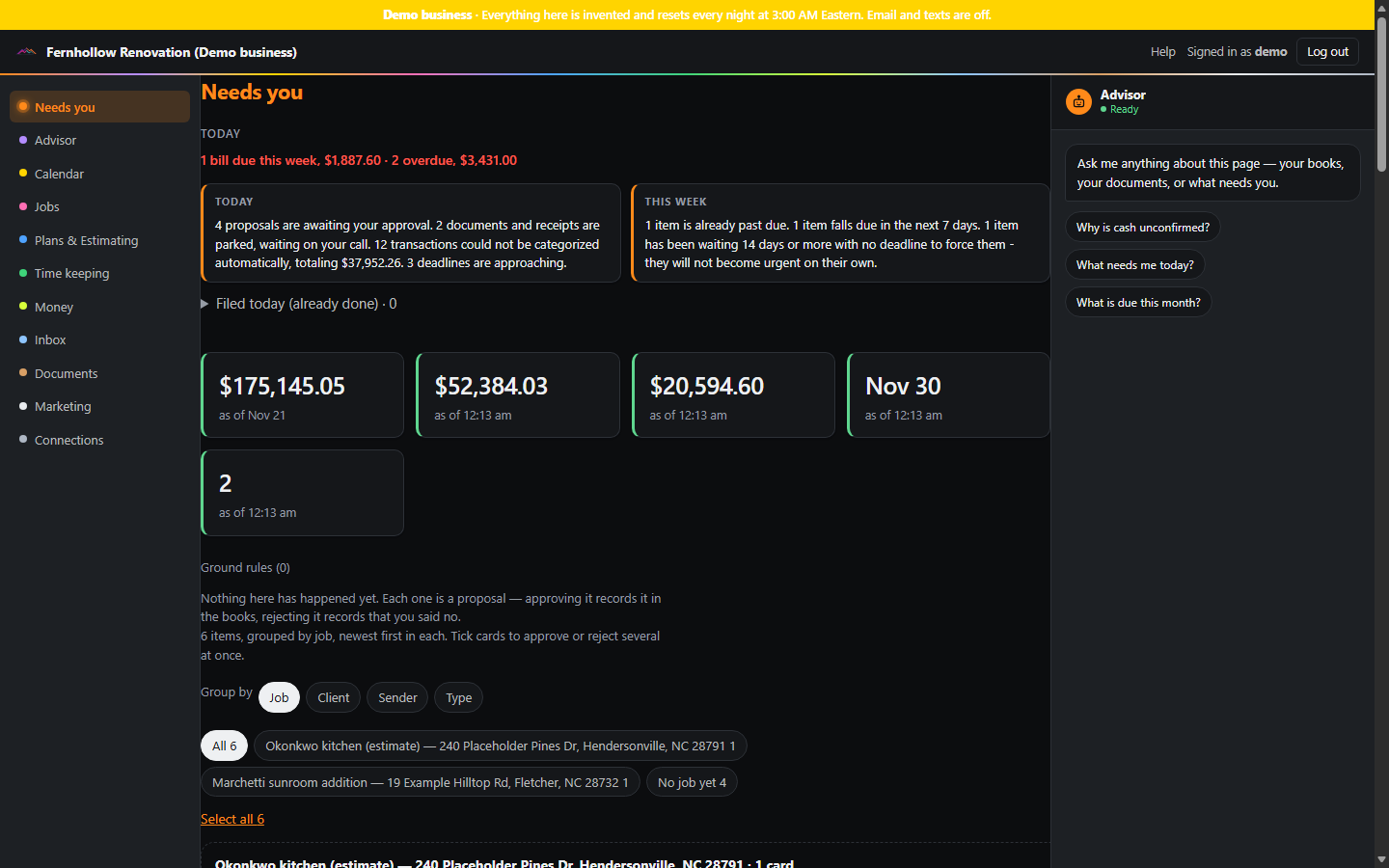
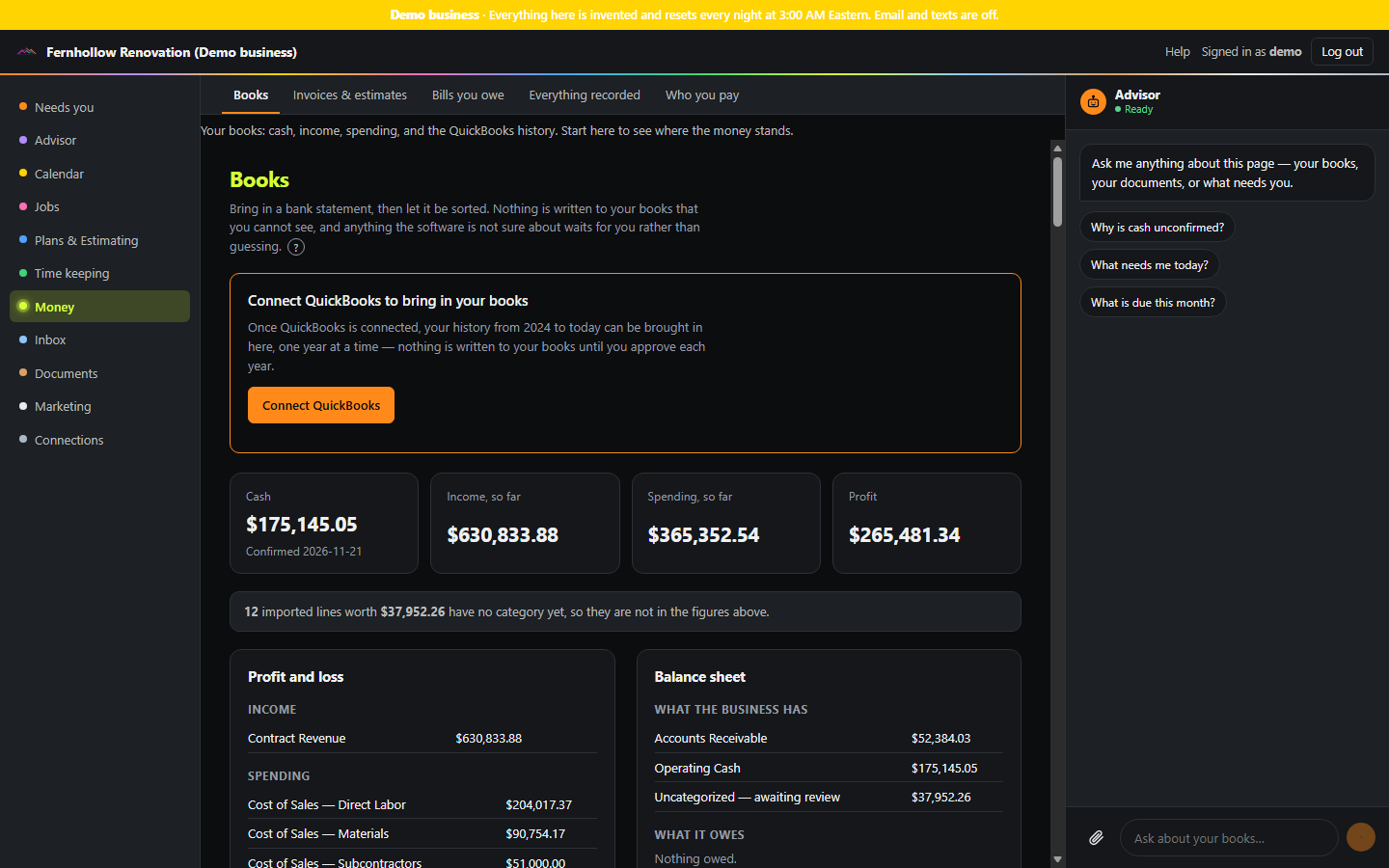
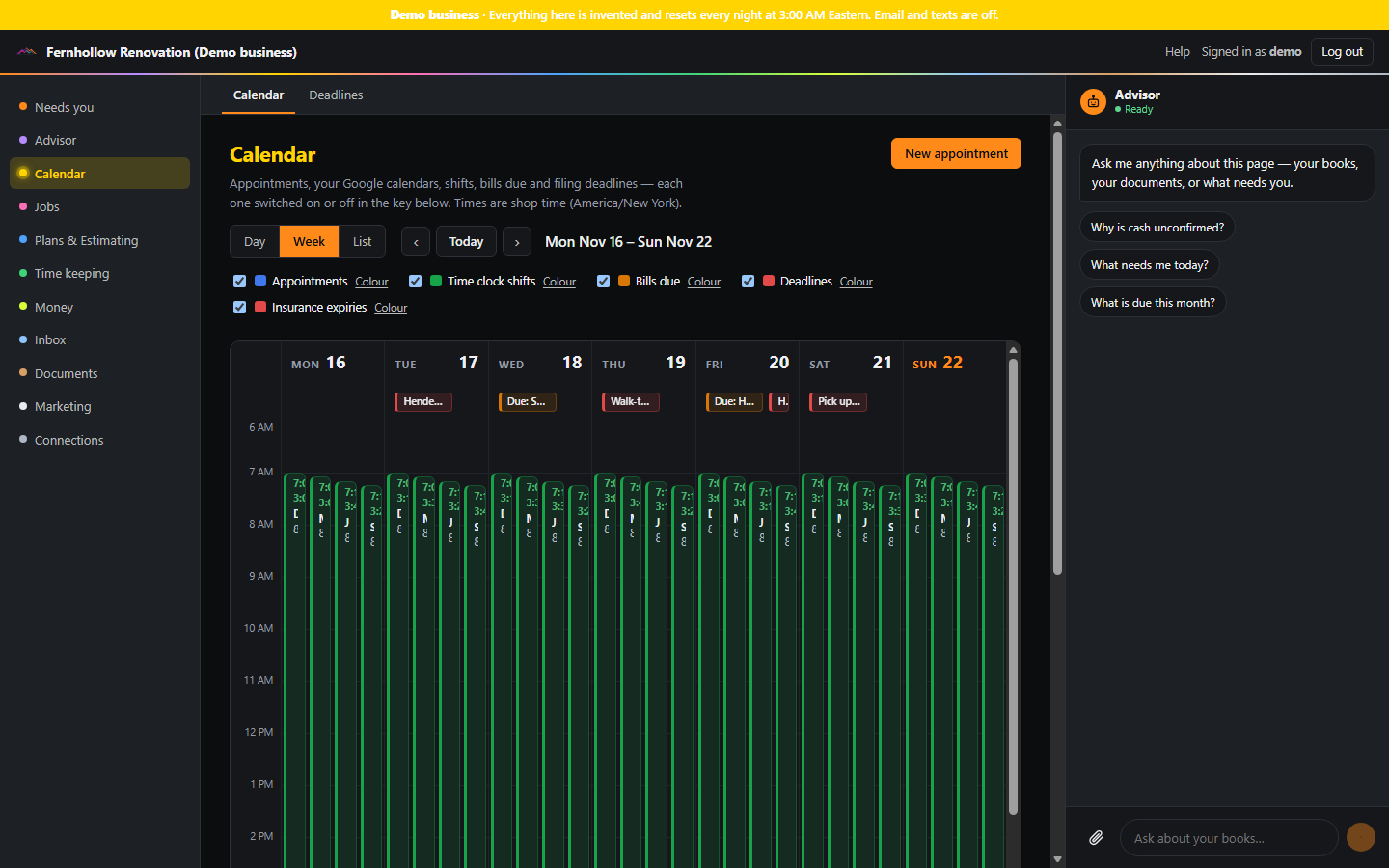
The demo runs on B-MGMT's own bookkeeping. Connecting QuickBooks or Xero is switched off in the demo; for your business, I connect your real books during setup.
Free consultation, with your own files
The fastest way to see what B-MGMT would do for you is to watch it work on your business. Bring a few of your real documents and I will show you, on screen, what the app makes of them and how the pieces would connect.
Free, with no obligation. By screen share from anywhere, or in person if you are local.
Good things to bring
- A recent bank or card statement
- A handful of supplier invoices or receipts
- A job you are quoting, or one you just finished
- The deadline or task you are most worried about forgetting